
Skip to content

Book a free consultation today!

Quanlyx
All projects
Ed Tech / Project spotlight

Education Virtual Classroom

Interactive virtual classroom for live teaching, collaboration, and recorded lessons.

Virtual ClassesLive LearningCollaboration
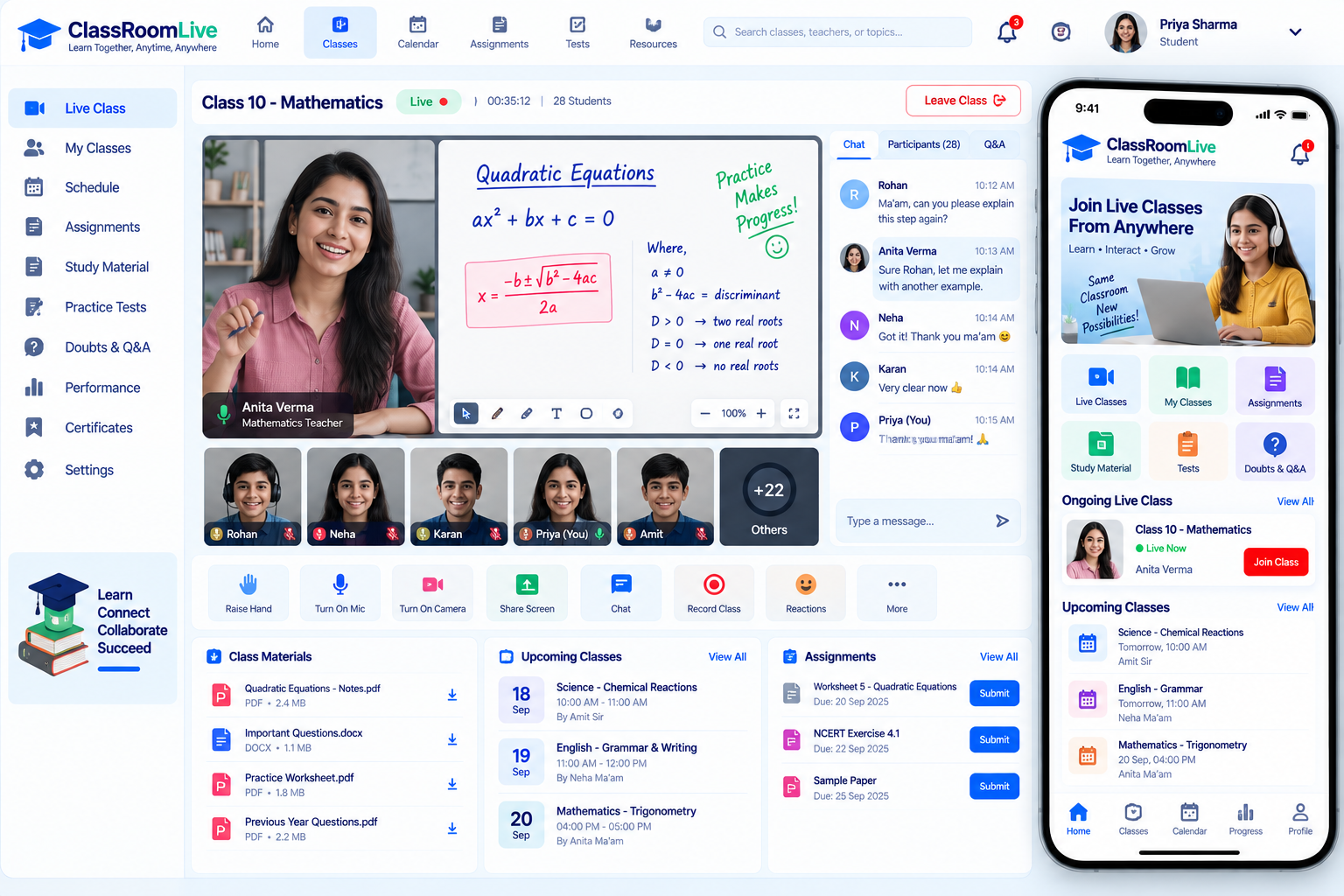
Education Virtual Classroom: Virtual classroom interface illustration
Virtual classroomIllustrative preview

01 / Product walkthrough

Virtual classroom, explained in detail.

The virtual classroom gives teachers and students tools for live sessions, shared resources, discussions, attendance, and lesson recordings.

Explore the workspaces, everyday actions, and reporting behind this solution. Each module below explains what your team can manage and how the work connects.

02 / Features & functionality

Inside each module

4 modules ? Detailed walkthrough
01Module guide

Live sessions

Bring teachers and students into a shared online classroom for scheduled lessons.

  • Classroom access. Connect the scheduled lesson, teacher, and enrolled students to the appropriate live teaching space.

  • Session coordination. Keep the lesson agenda and relevant class information available while the session takes place.

02Module guide

Shared resources

Make lesson materials available alongside teaching so students can follow the session.

  • Lesson materials. Organise presentations, documents, and references around the class that uses them.

  • Student retrieval. Keep resources accessible after teaching so learners can revisit the material while completing their work.

03Module guide

Class discussions

Support participation and questions through collaborative classroom discussions.

  • Participation. Give students a clear place to ask questions and contribute to the current lesson.

  • Discussion context. Keep conversations organised by class or topic so useful answers can be found again.

04Module guide

Recordings and attendance

Keep lesson recordings and attendance information available for revision and follow-up.

  • Lesson archive. Associate available recordings with the session, topic, and class for later revision.

  • Participation history. Keep attendance information alongside the session record so teachers can follow up with absent students.

03 / From start to finish

How it all comes together.

Interactive virtual classroom for live teaching, collaboration, and recorded lessons.

The project workflowA representative journey, step by step
  1. Step 01

    Live sessions

    Bring teachers and students into a shared online classroom for scheduled lessons.

  2. Step 02

    Shared resources

    Make lesson materials available alongside teaching so students can follow the session.

  3. Step 03

    Class discussions

    Support participation and questions through collaborative classroom discussions.

  4. Step 04

    Recordings and attendance

    Keep lesson recordings and attendance information available for revision and follow-up.

Each stage connects the people, information, and actions needed for the next step.

Your next project starts here

Have something similar in mind?

Let’s turn your requirements into a clear, practical solution for your business.

Talk to our team