
Skip to content

Book a free consultation today!

Quanlyx
All projects
FinTech / Project spotlight

Subscription Billing Platform

Recurring billing platform for plans, invoices, payments, and customer accounts.

SubscriptionsRecurring BillingInvoicing
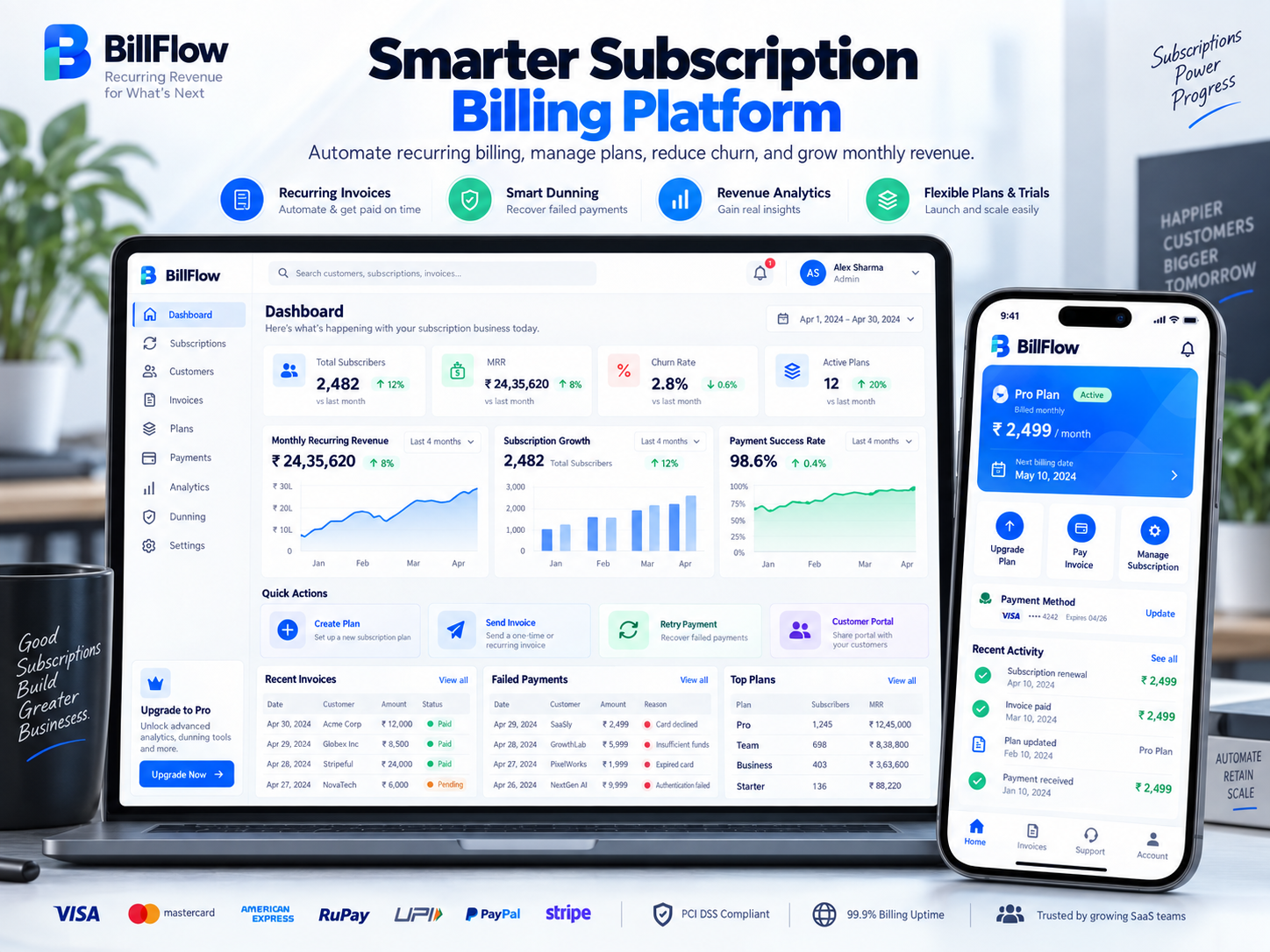
Subscription Billing Platform: Recurring revenue interface illustration
Recurring revenueIllustrative preview

01 / Product walkthrough

Recurring revenue, explained in detail.

The platform automates subscription plans, recurring charges, invoicing, payment retries, upgrades, downgrades, and billing insights.

Explore the workspaces, everyday actions, and reporting behind this solution. Each module below explains what your team can manage and how the work connects.

02 / Features & functionality

Inside each module

8 modules ? Detailed walkthrough
01Module guide

Plan and price catalog

Organise versioned plans, prices, and add-ons so subscriptions follow the correct commercial terms.

  • Plan structure. Define included services, billing intervals, prices, and add-ons with a clear version history.

  • Subscription association. Keep each customer linked to the agreed plan version so a catalog change does not obscure their billing terms.

02Module guide

Trials and coupons

Configure trial periods and promotional coupons within the subscription lifecycle.

  • Trial lifecycle. Track the trial start, end, and expected transition to a paid subscription.

  • Promotion rules. Record coupon eligibility, duration, and discount treatment so invoices reflect the customer's applicable offer.

03Module guide

Seat and usage metering

Track subscribed seats and billable usage as inputs to invoice calculations.

  • Billable quantities. Record subscribed seats and eligible usage against the appropriate customer and billing period.

  • Billing review. Make the quantities supporting an invoice accessible so finance can explain how usage-based charges were calculated.

04Module guide

Proration and upgrades

Calculate billing adjustments when customers change plans or subscription quantities.

  • Plan changes. Record when an upgrade, downgrade, or quantity change takes effect during the billing cycle.

  • Charge adjustments. Keep the resulting prorated charge or credit visible on the customer's billing record.

05Module guide

Recurring invoices

Create recurring invoices from the customer's plan, usage, and billing schedule.

  • Invoice cycle. Generate billing items using the subscription terms, billable quantities, and current billing period.

  • Invoice status. Follow draft, finalised, paid, and overdue invoices so finance can distinguish preparation from collection work.

06Module guide

Payment retries and dunning

Follow failed payments through retry schedules and customer payment reminders.

  • Recovery schedule. Track unsuccessful payments and the next planned collection attempt.

  • Customer reminders. Connect payment requests and account updates to the unpaid invoice, then stop recovery actions when payment is confirmed.

07Module guide

Credits, refunds, and tax

Keep credits, refunds, and tax adjustments connected to the relevant invoice.

  • Account adjustments. Associate credit notes and refunds with their original invoice and record the reason for each adjustment.

  • Tax context. Keep applicable tax information with the customer and invoice so calculations can be reviewed during reconciliation.

08Module guide

MRR and revenue reporting

Review monthly recurring revenue and billing activity to support finance reporting.

  • Recurring-revenue trends. Compare monthly recurring revenue and changes from new, upgraded, downgraded, or cancelled subscriptions.

  • Finance detail. Review underlying invoices, credits, and collection information to distinguish recurring revenue indicators from cash received.

03 / From start to finish

How it all comes together.

A recurring revenue platform that turns plan rules into predictable invoices, payment events, entitlements, and revenue reporting.

The project workflowA representative journey, step by step
  1. Step 01

    Customer account

    Plan selection, seats, tax profile

  2. Step 02

    Billing engine

    Proration, metering, invoices, entitlements

  3. Step 03

    Payment orchestration

    Charges, retries, dunning, webhooks

  4. Step 04

    Revenue ledger

    Credits, settlements, analytics, exports

Each stage connects the people, information, and actions needed for the next step.

Financial accuracy

Immutable billing events and decimal-safe calculations preserve auditability.

Operations

Webhook replay, failed-payment queues, alerts, and finance exports support recovery.

Your next project starts here

Have something similar in mind?

Let’s turn your requirements into a clear, practical solution for your business.

Talk to our team