
Skip to content

Book a free consultation today!

Quanlyx
All projects
Healthcare / Project spotlight

Healthcare Patient Web Portal

Secure patient portal for records, appointments, prescriptions, and care communication.

Patient PortalSecure AccessDocuments
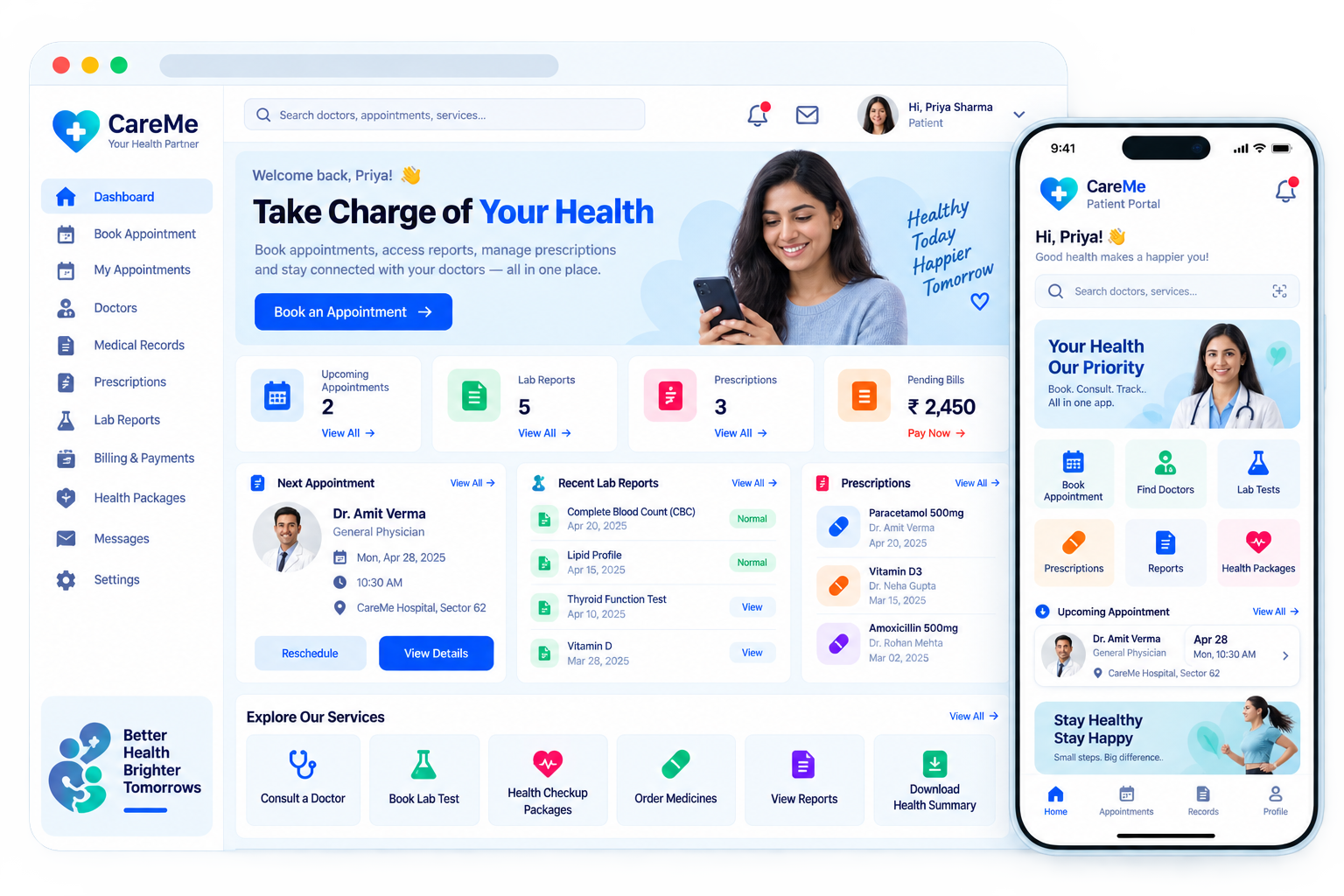
Healthcare Patient Web Portal: Patient access interface illustration
Patient accessIllustrative preview

01 / Product walkthrough

Patient access, explained in detail.

The patient web portal gives people a convenient place to view health information, manage appointments, access documents, and communicate with their care providers.

Explore the workspaces, everyday actions, and reporting behind this solution. Each module below explains what your team can manage and how the work connects.

02 / Features & functionality

Inside each module

4 modules ? Detailed walkthrough
01Module guide

Secure patient access

Give patients an authenticated entry point to their own health information and care services.

  • Patient identity. Connect access to the correct patient account so records and appointments are shown in the appropriate workspace.

  • Account control. Provide sign-in and account recovery steps while maintaining the separation between patient and staff access.

02Module guide

Records and documents

Bring health records, prescriptions, and care documents into one accessible patient workspace.

  • Document organisation. Group clinical documents, prescriptions, and visit information by date or type for easier retrieval.

  • Record context. Keep each document associated with its visit or provider so patients can understand where the information came from.

03Module guide

Appointment self-service

Let patients review and manage their appointments without relying on repeated front-desk calls.

  • Upcoming visits. Let patients review their provider, appointment time, location, and booking status from the portal.

  • Changes and history. Keep rescheduling requests and previous appointment details accessible without repeatedly contacting reception.

04Module guide

Care communication

Support communication with care providers around the patient's existing care information.

  • Patient questions. Keep messages linked to the relevant care context so the receiving team can understand the request.

  • Conversation tracking. Distinguish unanswered questions from completed conversations and retain previous responses for reference.

03 / From start to finish

How it all comes together.

Secure patient portal for records, appointments, prescriptions, and care communication.

The project workflowA representative journey, step by step
  1. Step 01

    Secure patient access

    Give patients an authenticated entry point to their own health information and care services.

  2. Step 02

    Records and documents

    Bring health records, prescriptions, and care documents into one accessible patient workspace.

  3. Step 03

    Appointment self-service

    Let patients review and manage their appointments without relying on repeated front-desk calls.

  4. Step 04

    Care communication

    Support communication with care providers around the patient's existing care information.

Each stage connects the people, information, and actions needed for the next step.

Your next project starts here

Have something similar in mind?

Let’s turn your requirements into a clear, practical solution for your business.

Talk to our team