
Skip to content

Book a free consultation today!

Quanlyx
All projects
Real Estate / Project spotlight

Real Estate CRM

Customer relationship platform for property sales and leasing teams.

CRMLead ManagementSales Pipeline
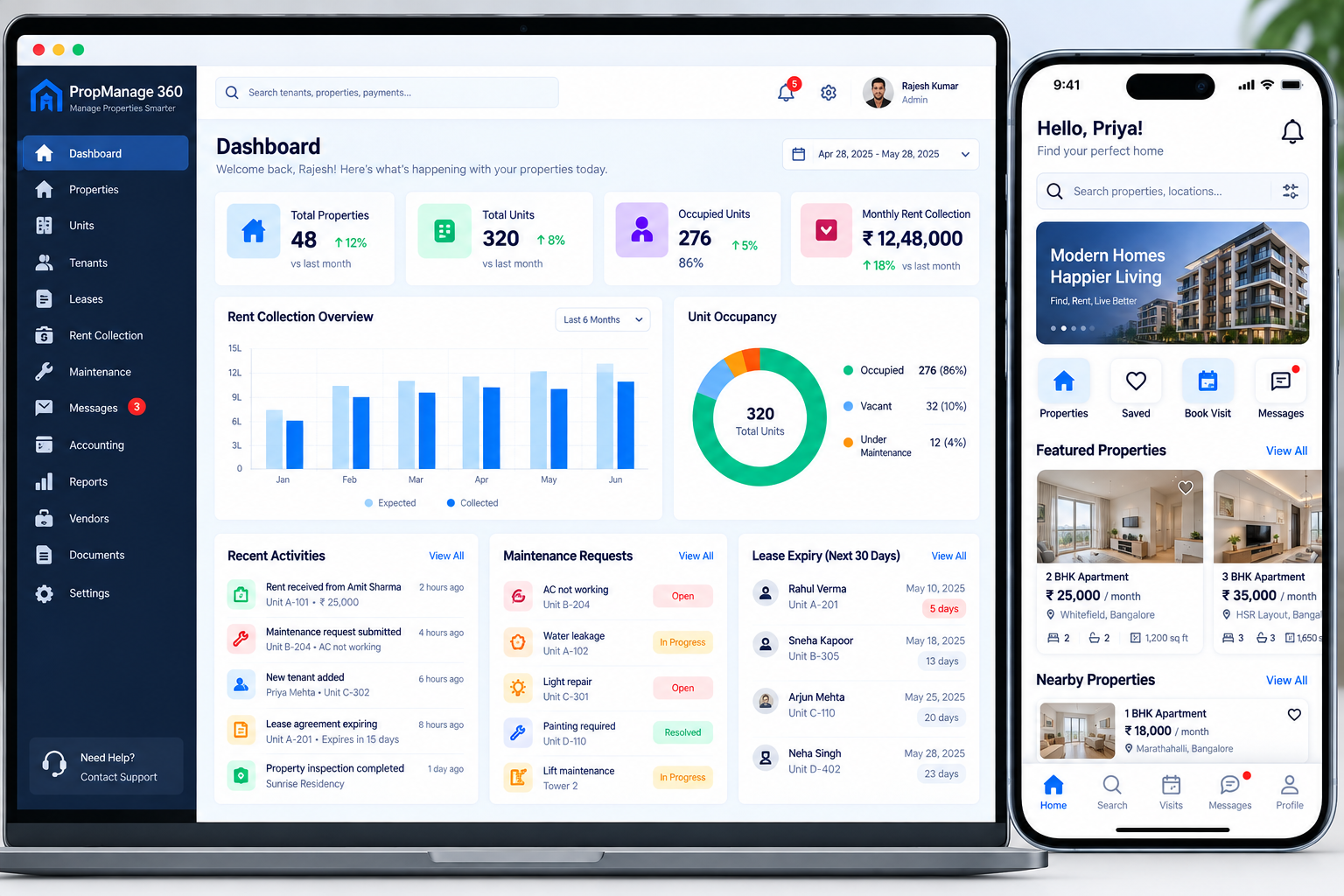
Real Estate CRM: Real estate CRM interface illustration
Real estate CRMIllustrative preview

01 / Product walkthrough

Real estate CRM, explained in detail.

The CRM centralises leads, contacts, property interests, follow-ups, and pipeline reporting so teams can manage every opportunity consistently.

Explore the workspaces, everyday actions, and reporting behind this solution. Each module below explains what your team can manage and how the work connects.

02 / Features & functionality

Inside each module

8 modules ? Detailed walkthrough
01Module guide

Portal and campaign lead capture

Capture enquiries from property portals and campaigns into the sales workspace.

  • Enquiry intake. Capture the source, contact information, property reference, and initial interest from each channel.

  • Agent ownership. Assign the enquiry to a representative and create the next follow-up action so new leads do not remain unattended.

02Module guide

Contact deduplication

Identify duplicate contacts so agents work from a consistent customer record.

  • Duplicate review. Identify contacts that appear to represent the same person across different enquiries or channels.

  • Relationship continuity. Preserve relevant conversation and property-interest history when consolidating duplicate contact information.

03Module guide

Property interest profiles

Record location, budget, and property preferences against each opportunity.

  • Buyer requirements. Record preferred locations, budget, property types, intended use, and buying or renting timelines.

  • Relevant matching. Use the recorded preferences when selecting properties to discuss or arrange for a viewing.

04Module guide

Sales pipeline stages

Track opportunities from qualification through viewings, offers, negotiation, and closing.

  • Opportunity progression. Follow New, Contacted, Qualified, Viewing, Offer, Negotiation, and Won or Lost stages with a responsible agent and next action.

  • Stage context. Record viewing feedback, offer terms, expected closing dates, and reasons for a lost opportunity so managers can understand progress.

05Module guide

Viewing and task scheduling

Organise viewing appointments and next actions with clear agent ownership.

  • Viewing appointments. Connect the interested customer, property, agent, and agreed time in one schedule.

  • Next actions. Create follow-up tasks after a viewing to capture feedback and discuss the next property or offer.

06Module guide

Automated follow-up

Use reminders and nurture workflows to keep outstanding opportunities moving.

  • Follow-up rules. Organise reminders around the opportunity's stage, last contact, and planned next action.

  • Agent review. Keep overdue conversations visible and stop or update reminders when the opportunity's status changes.

07Module guide

Email and call timeline

Keep email and call activity together so agents can understand previous conversations.

  • Conversation history. Keep calls, messages, email activity, and notes against the contact or opportunity.

  • Handover context. Let a new agent review the latest discussion and commitments before contacting the same prospect.

08Module guide

Conversion and agent dashboards

Review conversion, response times, and agent performance across the sales pipeline.

  • Pipeline overview. Review enquiries, viewings, offers, and closed opportunities by agent and period.

  • Performance reports. Compare lead sources, response activity, conversion, and lost reasons to identify where sales support is needed.

03 / From start to finish

How it all comes together.

A property sales CRM that turns enquiries into organised opportunities with clear ownership, follow-up, and pipeline intelligence.

The project workflowA representative journey, step by step
  1. Step 01

    Lead sources

    Portal, website, referrals, calls, campaigns

  2. Step 02

    CRM workspace

    Contacts, interests, tasks, pipeline

  3. Step 03

    Automation

    Routing, reminders, nurture, activity capture

  4. Step 04

    Sales intelligence

    Forecasts, conversion, response, attribution

Each stage connects the people, information, and actions needed for the next step.

Data quality

Validation, deduplication, consent records, and ownership rules keep the CRM reliable.

Visibility

Role-based dashboards expose pipeline health without leaking sensitive client data.

Your next project starts here

Have something similar in mind?

Let’s turn your requirements into a clear, practical solution for your business.

Talk to our team