
Skip to content

Book a free consultation today!

Quanlyx
All projects
Real Estate / Project spotlight

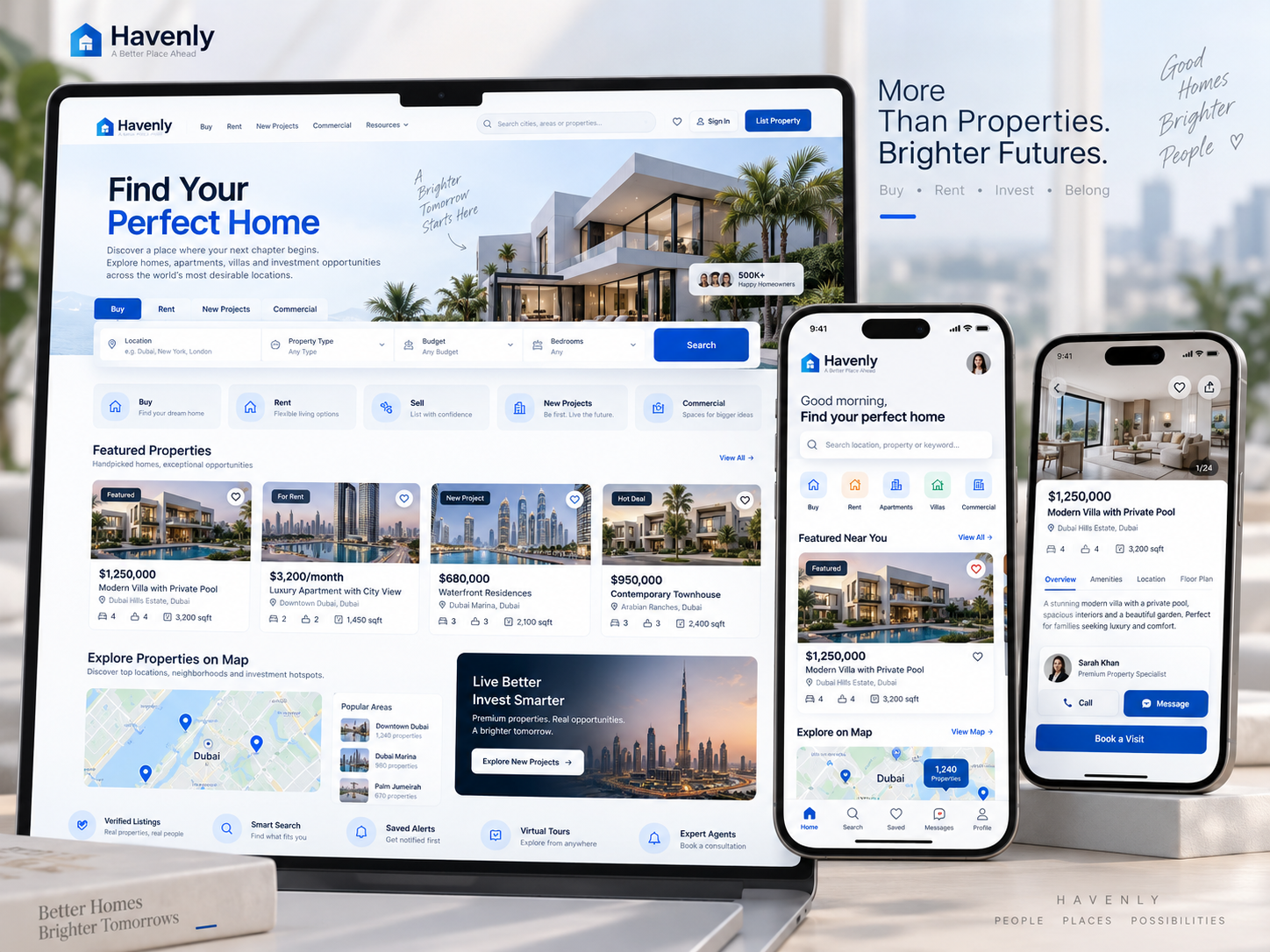
Property Search and Listing App

Property discovery and listing platform for buyers, renters, and agents.

Property SearchListingsEnquiries
Property Search and Listing App: Property discovery interface illustration
Property discoveryIllustrative preview

01 / Product walkthrough

Property discovery, explained in detail.

The app helps users search, compare, and publish property listings with rich details, location filters, and enquiry workflows.

Explore the workspaces, everyday actions, and reporting behind this solution. Each module below explains what your team can manage and how the work connects.

02 / Features & functionality

Inside each module

8 modules ? Detailed walkthrough
01Module guide

Map and list search

Explore available properties on a map or in a list using the same search criteria.

  • Search context. Keep the same location and property criteria when switching between a geographic view and a list of results.

  • Property selection. Open a relevant listing to review the details without losing the broader search context.

02Module guide

Geo-radius filtering

Narrow results to properties within a selected geographic area or radius.

  • Area selection. Define the preferred area or radius around a chosen location for the property search.

  • Relevant results. Combine geographic boundaries with the remaining criteria so results fit both the location and property requirements.

03Module guide

Price and amenity filters

Filter properties by budget, property type, and the amenities that matter to the user.

  • Preference controls. Narrow properties by budget, property type, rooms, and available amenities.

  • Transparent results. Keep selected filters visible so the user can understand why properties are included and adjust an overly narrow search.

04Module guide

Saved searches and alerts

Save search preferences and receive updates when relevant properties become available.

  • Saved criteria. Retain the user's preferred location, budget, and property requirements for a later visit.

  • Relevant notifications. Associate new-listing updates with the saved search so users receive information matching their stated interests.

05Module guide

Listing media gallery

Browse property photos and supporting media alongside listing information.

  • Property presentation. Organise photos and supporting media alongside property descriptions and amenities.

  • Informed enquiries. Give users enough visual context to decide whether to request more information or arrange a viewing.

06Module guide

Agent publishing workflow

Guide agents through drafting, reviewing, publishing, and updating property listings.

  • Listing preparation. Gather property details, price, location, availability, and media before submitting a listing for review.

  • Publication lifecycle. Distinguish draft, published, updated, and expired listings so agents can maintain current inventory.

07Module guide

Property comparison

Compare shortlisted properties to evaluate their price, location, and features.

  • Shortlist selection. Choose properties to compare using the information relevant to the user's search.

  • Side-by-side evaluation. Review price, location, space, and amenities together before narrowing the viewing shortlist.

08Module guide

Enquiry and viewing requests

Send enquiries or viewing requests directly from a property listing to the responsible team.

  • Enquiry details. Associate the interested person's contact information and question with the specific property.

  • Agent response. Assign the enquiry, arrange suitable viewing times, and keep the follow-up status visible.

03 / From start to finish

How it all comes together.

A discovery engine that helps people find relevant properties while giving agents a structured, high-quality listing workflow.

The project workflowA representative journey, step by step
  1. Step 01

    Search experience

    Map, filters, saved searches, comparison

  2. Step 02

    Listing API

    Availability, ranking, media, enquiries

  3. Step 03

    Search index

    Geo queries, facets, relevance, suggestions

  4. Step 04

    Lead workspace

    Agent inbox, matching, analytics, alerts

Each stage connects the people, information, and actions needed for the next step.

Trust

Moderation, duplicate detection, listing freshness, and verified agent profiles.

Performance

Cached search facets, responsive media delivery, and event-driven notifications.

Your next project starts here

Have something similar in mind?

Let’s turn your requirements into a clear, practical solution for your business.

Talk to our team