
Skip to content

Book a free consultation today!

Quanlyx
All projects
Real Estate / Project spotlight

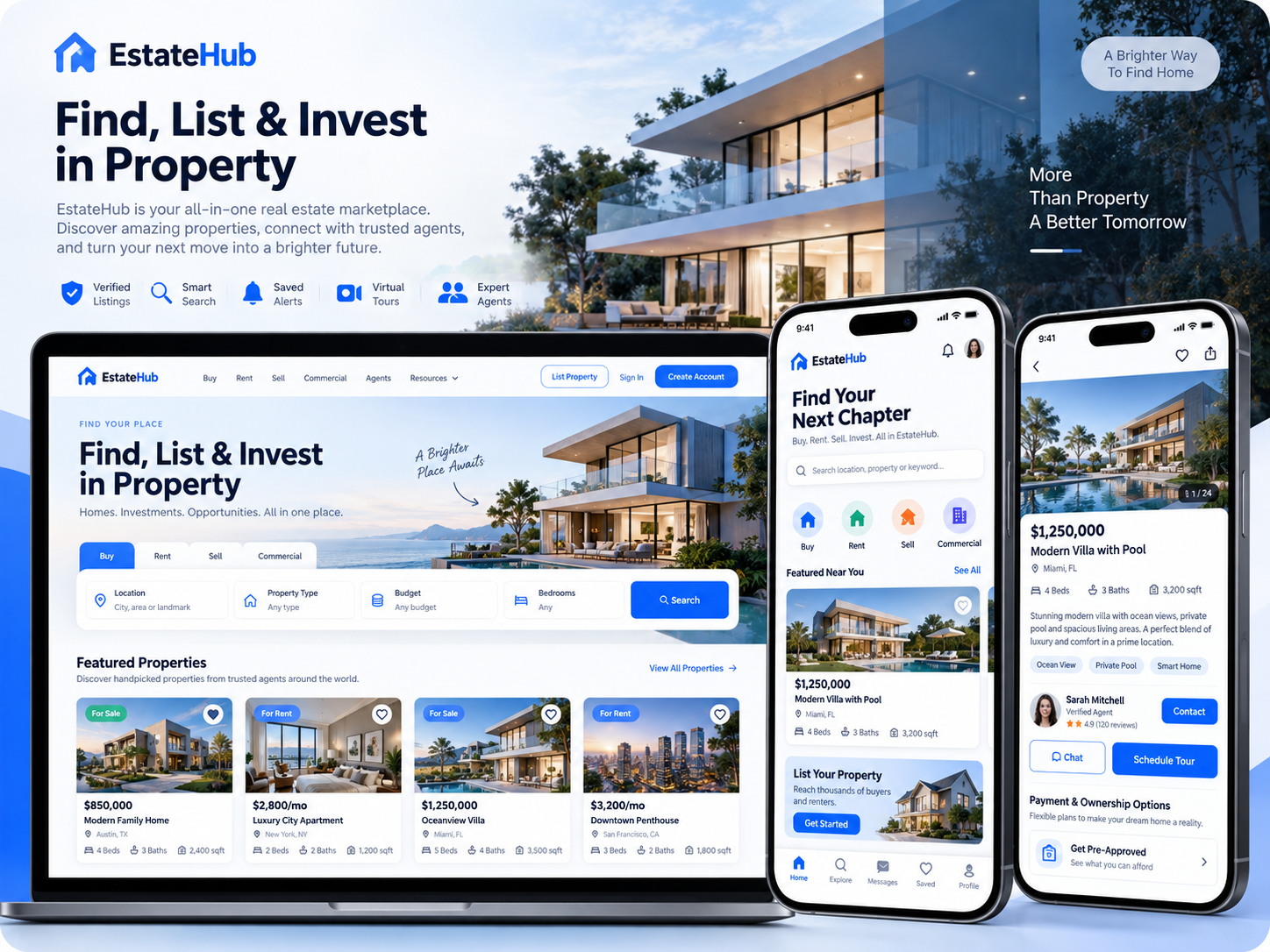
Real Estate Marketplace App

Marketplace connecting property owners, agents, buyers, and renters.

MarketplaceAgentsProperty Deals
Real Estate Marketplace App: Property marketplace interface illustration
Property marketplaceIllustrative preview

01 / Product walkthrough

Property marketplace, explained in detail.

The marketplace brings property listings, agent profiles, saved searches, enquiries, and transaction workflows into one connected experience.

Explore the workspaces, everyday actions, and reporting behind this solution. Each module below explains what your team can manage and how the work connects.

02 / Features & functionality

Inside each module

8 modules ? Detailed walkthrough
01Module guide

Buyer, renter, owner, and agent accounts

Provide workspaces suited to buyers, renters, owners, and agents within the marketplace.

  • Role-specific workspaces. Give property seekers access to discovery and enquiries while owners and agents manage their listings and responses.

  • Profile context. Keep preferences, contact details, and property relationships associated with the relevant account.

02Module guide

Verified profiles

Show profile verification information to help users assess who they are contacting.

  • Profile information. Present available verification indicators alongside the agent or owner details.

  • Review process. Distinguish information awaiting review from completed verification so users understand the profile's current status.

03Module guide

Property listing marketplace

Publish media-rich listings that connect available properties with relevant demand.

  • Listing information. Bring location, price, availability, amenities, and media together in a consistent property page.

  • Supply management. Let the responsible owner or agent maintain listing information as availability or commercial details change.

04Module guide

Saved searches and shortlists

Keep preferred properties and search criteria available for return visits.

  • Personal collections. Keep favourite properties and preferred search criteria available when a user returns.

  • Decision support. Review shortlisted properties before sending enquiries or choosing which viewings to arrange.

05Module guide

In-app messaging

Keep property conversations together through in-app messaging.

  • Property conversations. Link messages to the relevant listing so both parties understand the enquiry's context.

  • Conversation continuity. Retain previous responses and outstanding questions when the discussion continues over several visits.

06Module guide

Viewing calendar

Coordinate viewing availability and scheduled appointments between interested parties.

  • Appointment coordination. Match interested users with the owner or agent's available viewing times.

  • Schedule updates. Keep confirmed, rescheduled, and cancelled viewings visible to the participating parties.

07Module guide

Moderation and reporting

Route reported listings or user activity into a moderation workflow.

  • Issue reporting. Let users flag inaccurate listings or inappropriate activity with the relevant record attached.

  • Review queue. Give moderators the reported details and status history needed to investigate and record an appropriate action.

08Module guide

Featured listings and marketplace analytics

Support featured property placement and review marketplace engagement and conversion.

  • Featured placement. Organise promoted inventory and keep its placement associated with the relevant listing.

  • Marketplace performance. Review listing engagement, enquiries, and conversion patterns to understand which inventory attracts demand.

03 / From start to finish

How it all comes together.

A two-sided property marketplace connecting demand and supply with identity, discovery, conversations, and transaction-ready workflows.

The project workflowA representative journey, step by step
  1. Step 01

    Buyer or renter

    Search, shortlist, enquiry, viewing request

  2. Step 02

    Marketplace API

    Profiles, matching, messaging, trust signals

  3. Step 03

    Agent and owner tools

    Listings, lead inbox, availability, responses

  4. Step 04

    Marketplace intelligence

    Demand, conversion, quality, performance

Each stage connects the people, information, and actions needed for the next step.

Trust layer

Verification, abuse reporting, moderation queues, and privacy-aware messaging.

Growth layer

Search analytics, attribution events, recommendations, and lifecycle notifications.

Your next project starts here

Have something similar in mind?

Let’s turn your requirements into a clear, practical solution for your business.

Talk to our team